With the menu option “Assign Contact Folder” in the main menu, one can merge the different contacts into a single group.
Practice using the contact folder
1. Select all records and file them according to city.
2. Mark all of them with the city “New York”.
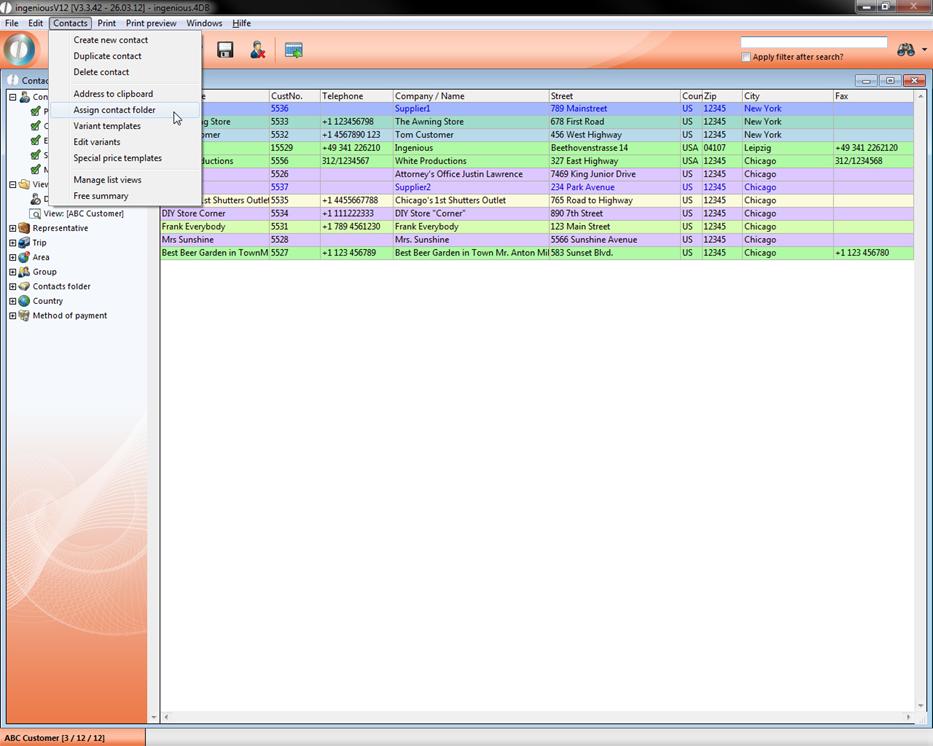
3. Select the menu option “Contacts/ Assign contact folders” from the main menu.
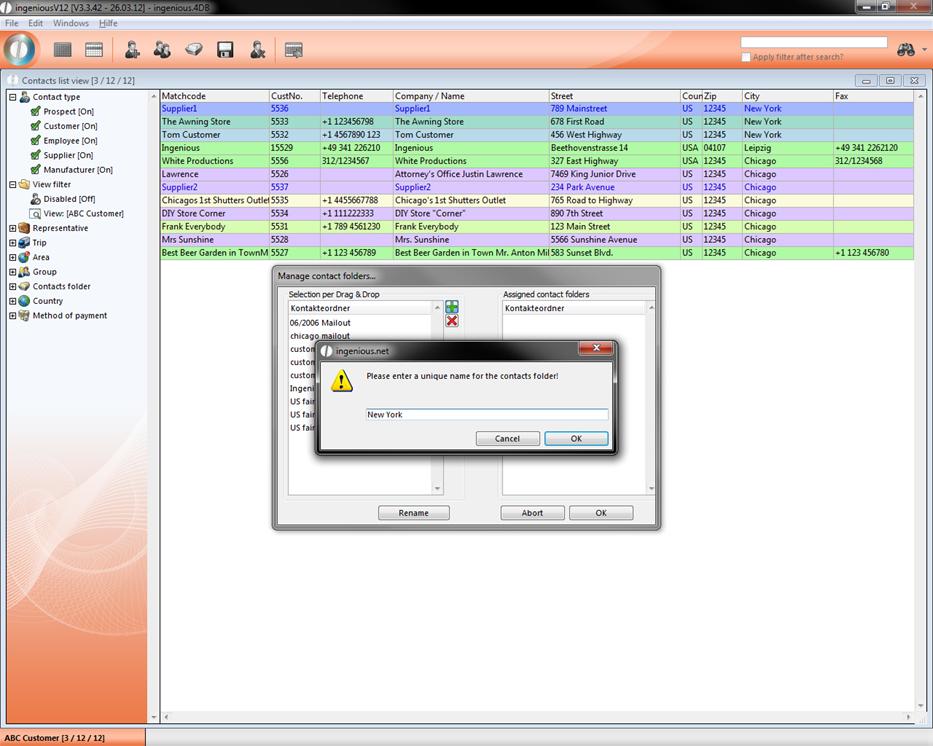
4. Start a new contact folder by clicking on the  button in the “Selection with Drag & Drop” area. Give the contact folder the name “New York” and confirm with “OK”.
5. Now with your mouse drag the newly created entry “New York” from the left area of the window to the right area. The entry will be listed on both sides.
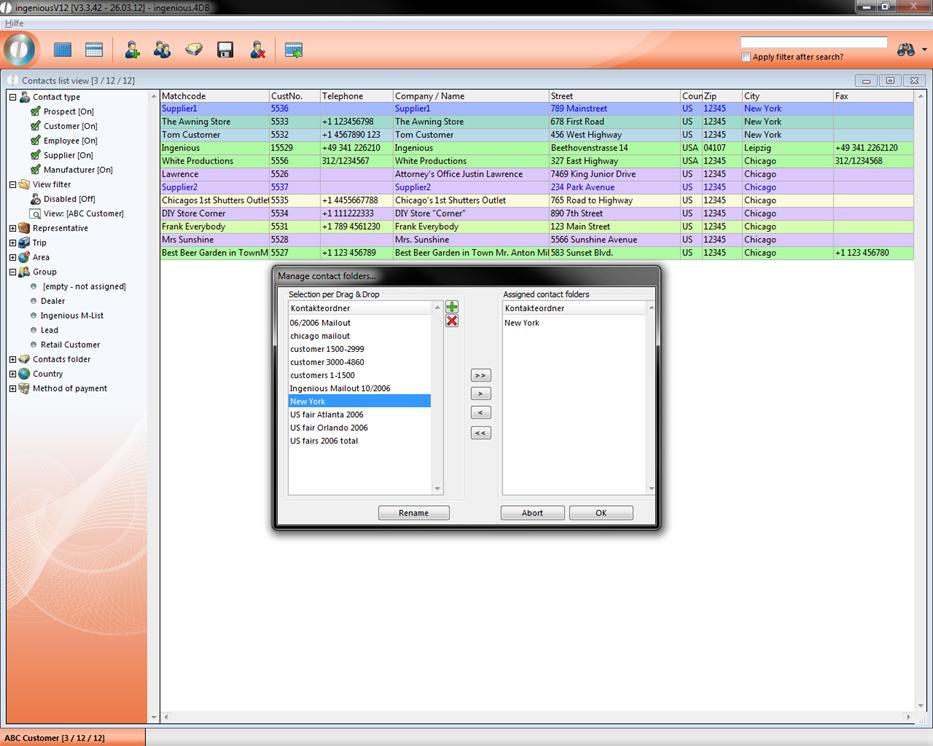
6. Click on the “OK” button.
In the contact folder, “New York” all records (3/12) from the location New York are grouped and can be used in targeted marketing measures, for example.
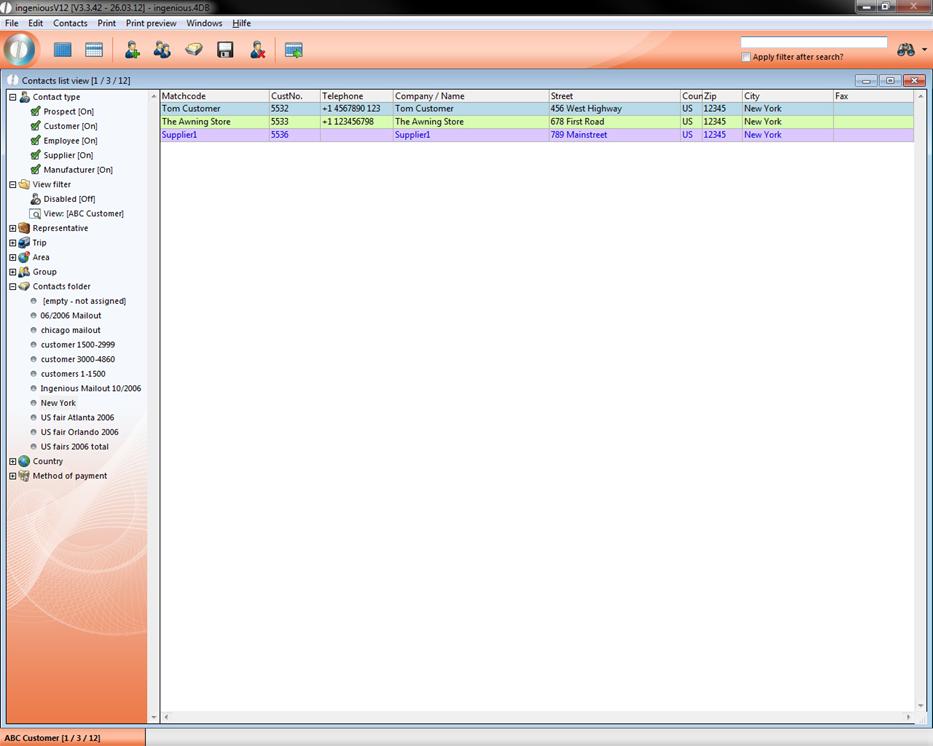
Content of the contact folder “New York”
If one needs this group again, a click on the respective icon is sufficient.